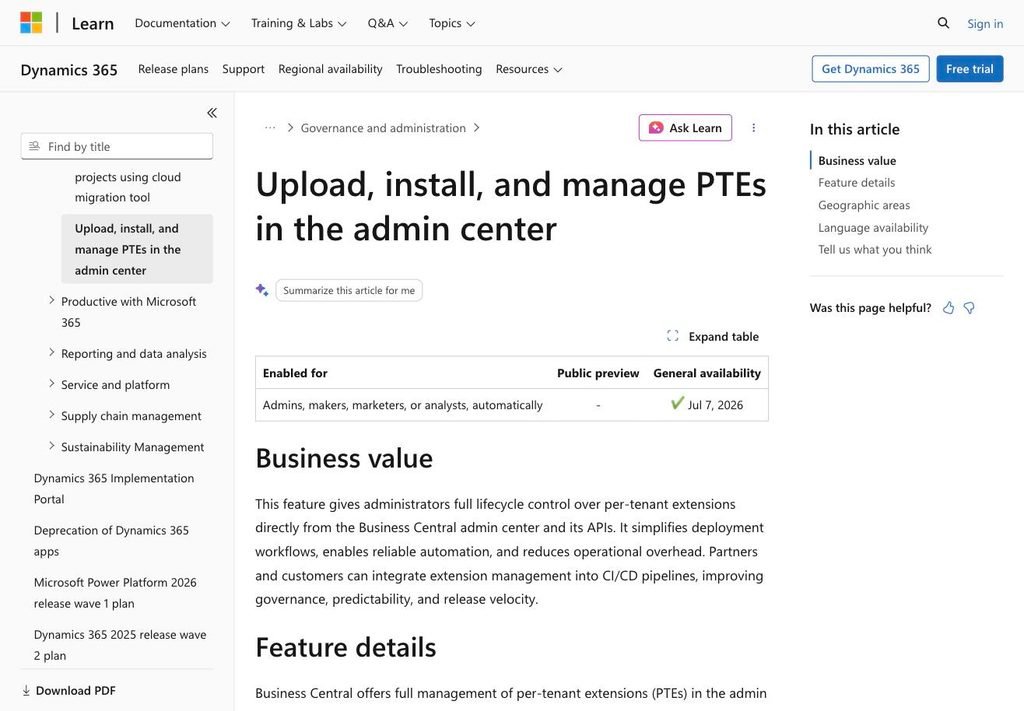
Business Central 2026 Wave 1 is adding something a lot of admins and partners have quietly wanted for years: real, full lifecycle management for per-tenant extensions (PTEs) directly in the admin center. Upload a package, install it now or schedule it, see what’s coming in the next update window, uninstall what you no longer need — all from one place, all API-friendly.
On the surface, that’s a nice quality-of-life upgrade. Look one layer deeper, though, and the more interesting story isn’t the new button in the admin center. It’s what’s happening to the old one.
What’s actually new
The core of the feature is straightforward. From the Business Central admin center, admins can now:
- Upload PTE packages directly
- Install extensions immediately or on a schedule (next update window, or tied to a minor/major update)
- View upcoming extension versions before they land
- View and uninstall extensions
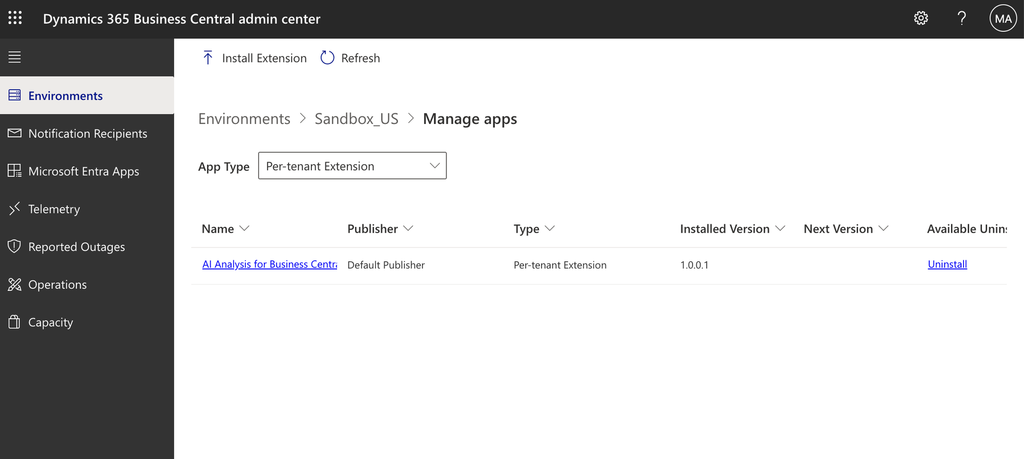
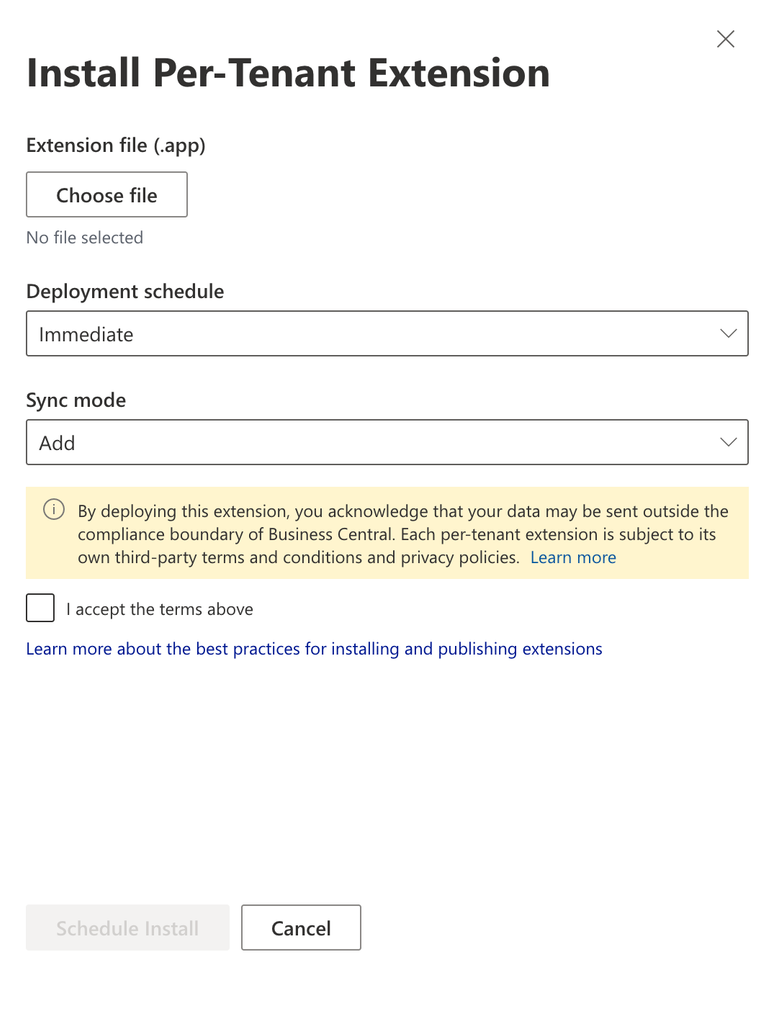
There’s also a new sync-mode setting for the database schema when you install, which matters if you’ve ever had to think carefully about how a PTE update touches table structure on a live tenant. None of this is exotic — it’s the kind of workflow you’d expect from a proper application-lifecycle tool, which is exactly the point. Microsoft is positioning the admin center as the single place PTE deployment happens, not one of several places.
General availability is targeted for July 7, 2026.
Built for automation: API v2.29 and the MCP server
The part that will matter more to most of you reading this isn’t the UI — it’s what sits behind it. The admin center APIs now support uploading and installing extension packages directly, without the workarounds that used to be necessary to get PTE deployment into a build pipeline. If you’ve ever wired up a CI/CD flow for extension delivery using the older automation APIs, you know that “workaround” is doing a lot of work in that sentence.
On top of that, every new endpoint is exposed through the Admin Center API MCP server. That means PTE installs, scheduling, and status checks aren’t just scriptable — they’re reachable by AI-assisted workflows in tools like VS Code. Ask an agent to “install the latest build of this extension on the staging tenant” and, at least in principle, it now has a supported, first-party path to do that instead of shelling out to PowerShell against an API that was never designed with agents in mind.
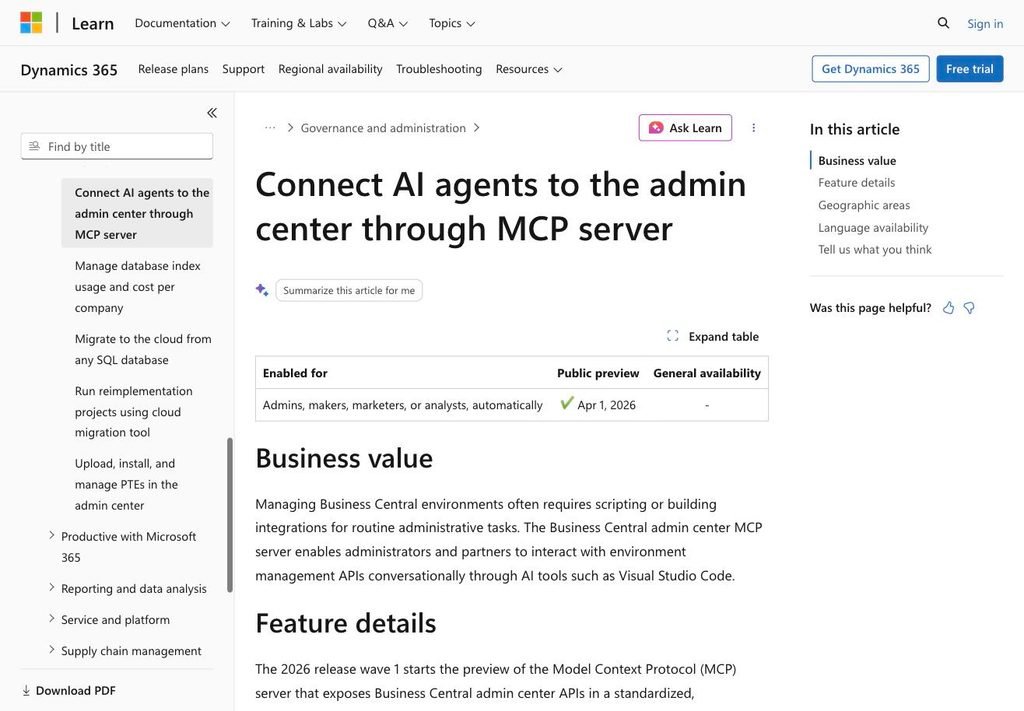
If you’ve been following the admin center MCP server rollout this wave, this is the piece that makes it genuinely useful for extension management rather than just read-only reporting.
The part Microsoft didn’t put in the headline
Here’s the detail that doesn’t show up in the feature’s business-value pitch, but is already being flagged by partners watching the deprecation closely — sourced from community coverage, not an official Microsoft release note: uploading and installing PTEs from the Extension Management page inside a Business Central environment is being phased out, with full removal targeted for the Business Central 2027 wave 1 release (version 30) — roughly April 2027 based on Microsoft’s usual wave cadence.
Whether the Extension Management page itself disappears entirely or sticks around as a read-only view of what’s already installed isn’t clear from the sources yet. What’s consistent across them is narrower and enough to act on: the ability to use it to get a new PTE onto a tenant in the first place goes away.
There’s a second change bundled in here that’s easy to miss: only users with actual admin center access — the Dynamics 365 Business Central Administrator or Dynamics 365 Administrator role — will be able to install PTEs going forward. That’s narrower than who could historically trigger an install from inside the environment itself. If your current process relies on a consultant or a power user installing extensions from within Business Central, that process has an expiration date too.
One thing to watch during the transition
Until that removal actually happens, both paths coexist — and according to partners already testing this, they don’t fully talk to each other yet. A scheduled installation created in the admin center is only visible in the admin center; one created (while it’s still possible) from the Extension Management page is only visible there. Once an install actually completes successfully, the extension shows up correctly in both places. But if you’re relying on either UI to give you a complete picture of what’s pending, it currently won’t — you need to check both during the overlap period.
That’s a rough edge worth knowing about before you start relying on scheduled installs for anything time-sensitive.
What this means for partners and consultants
| Old way (Extension Management page) | New way (Admin Center) | |
|---|---|---|
| Who can install | Broader set of environment users | Admin Center Administrator role only |
| Automation surface | Older Automation API, workaround-heavy | Admin Center API v2.29, MCP server |
| Scheduling visibility | Own page only | Own page only (until removal) |
| Future | Phased out, removed in BC 2027 wave 1 (v30) | Becomes the only supported path |
If any part of your deployment process — your own, or a customer’s — still runs through the Extension Management page, this is the moment to start moving it, not sometime next year. Two things are worth doing now:
First, audit who actually has admin center access today versus who has been installing PTEs from inside environments. Those two lists are probably not identical, and that gap is your real migration task — more of a governance conversation than a technical one.
Second, if you have any automation touching the older Automation API for PTE installs, start evaluating the admin center API v2.29 endpoints now, while you have roughly a wave or two of runway before the old page’s install capability disappears entirely.
My take
I like this change more than the deprecation-adjacent framing makes it sound. Centralizing PTE deployment in the admin center, with a real API and an MCP server behind it, is the right direction — it’s more predictable, more auditable, and it plays nicely with the direction the rest of the platform is heading with agents and automation. The rough edges (unsynced scheduling views, a tighter access model) are the normal cost of a transition like this, not a sign it’s a bad idea.
But “the right direction” doesn’t mean “no homework.” If your team or your customers are still installing PTEs the old way, treat the July 2026 general availability date as your starting gun, not the 2027 removal date as your deadline. Give the new admin center flow a try on a test tenant, see where your CI/CD needs to adjust, and you’ll be in good shape long before the old page stops offering the option at all.
Discover more from Lubenheimer
Subscribe to get the latest posts sent to your email.