With the release of Business Central 27.1, Microsoft introduced a game-changer for AI agents: the native Model Context Protocol (MCP) server. This feature allows you to connect Copilot Studio agents directly to your ERP data using a standardized, secure bridge that requires zero custom coding.
Why this is a Breakthrough
Instead of manually building complex connectors, you now use the official Dynamics 365 Business Central MCP Server tool in Copilot Studio. It automatically maps your BC API pages into “tools” that the AI can understand, search, and invoke dynamically. You no longer search for the data you need for your conclusion – you simply ask questions and get the answer.
Step-by-Step: Connecting Copilot Studio to BC via MCP
1. Enable the Feature in Business Central
Before you start, ensure your environment is on version 27.1 or higher.
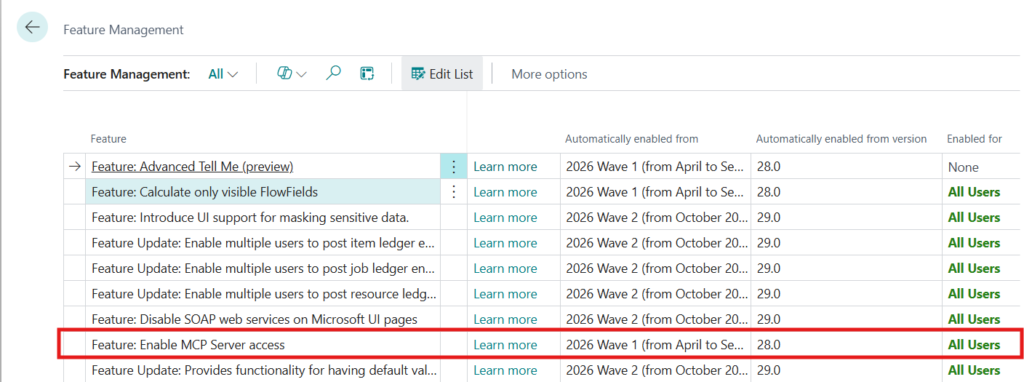
- Search for Feature Management.
- Enable: “Feature: Enable MCP Server access”.
2. Configure your MCP “Tools”
You decide what the AI can see and do.
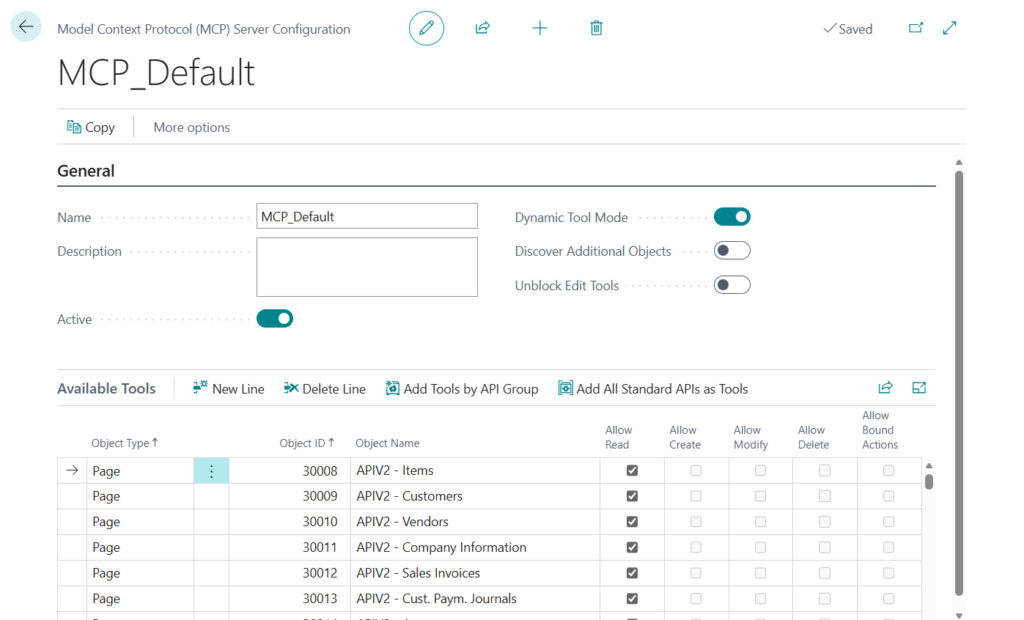
- Search for Model Context Protocol (MCP) Server Configurations.
- Create a New configuration (e.g., “SalesAgent”).
- Pro Tip: Use the “Add All Standard APIs as Tools” button to instantly expose BC’s core capabilities.
- Enable Dynamic Tool Mode if you want the agent to search for the right API at runtime rather than listing every single tool manually.
3. Connect in Copilot Studio
Now, switch to your AI agent environment.
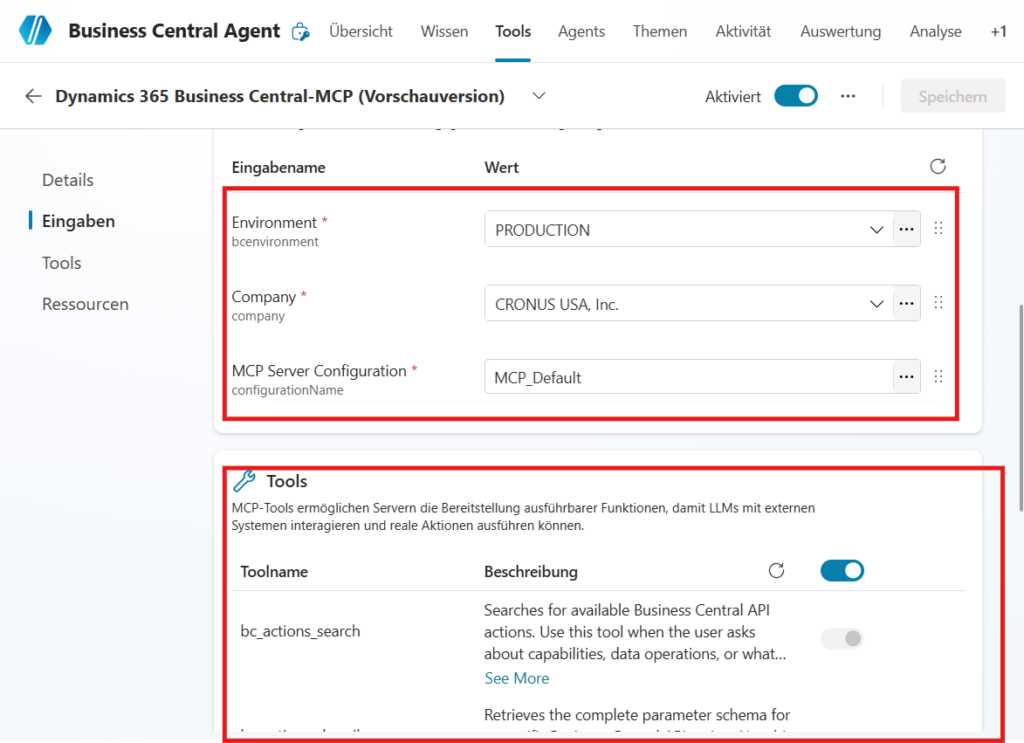
- Go to the Tools tab and click + Add a tool.
- Search for “Dynamics 365 Business Central MCP Server (Preview)”.
- Select your Environment, Company, and the MCP Configuration you just created.
4. Test the Intelligence
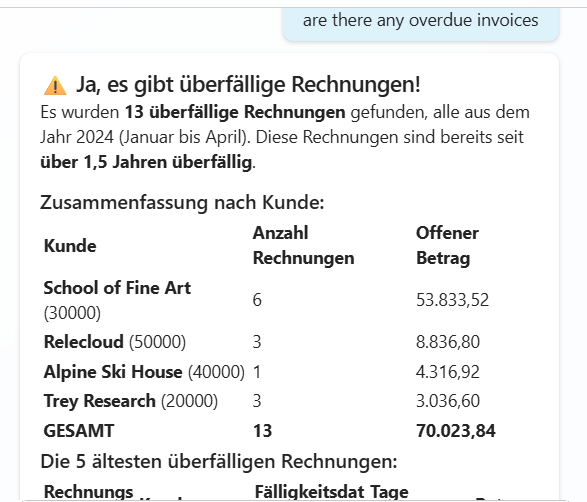
Once connected, your agent is “ERP-aware.” Try asking:
- “Who is our top customer in terms of sales this month?”
- “Are there any overdue invoices for Cronus?”
Best Practice / Inspiration
The “Sales Prep” Assistant
Sales representatives often waste valuable time clicking through multiple screens before a client call to gauge the account’s status.
- The Challenge: A rep needs a snapshot of a customer before picking up the phone: Are they overdue? Do they have open quotes? Have recent shipments been delayed?
- The MCP Solution: Configure your MCP server to expose the Customer Card, Sales Quotes, and Posted Sales Shipments APIs.
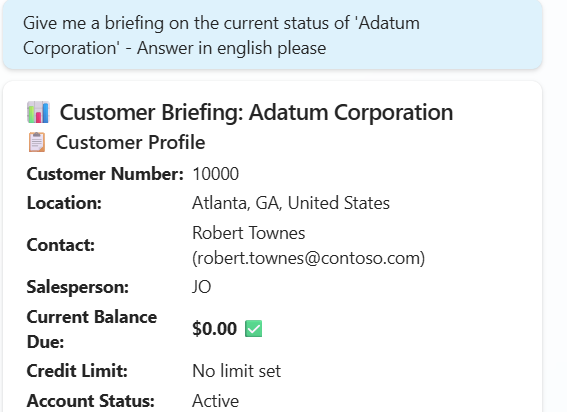
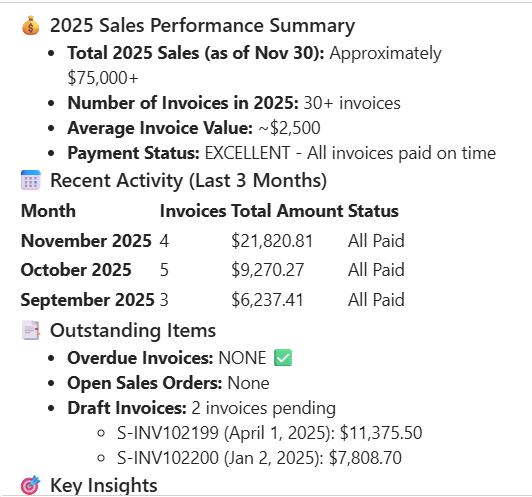
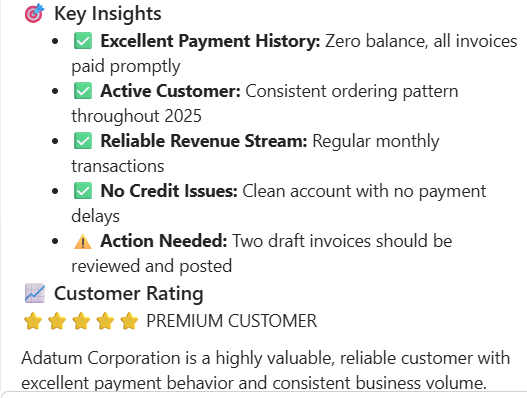
- The Copilot Interaction: The rep asks: “Give me a briefing on the current status of ‘Adatum Corporation’.”
- Result: Copilot uses the MCP tools to retrieve the current balance, list the total value of open quotes, and flag any recent late shipments—all in a single summary response.
The “Inventory Triage” Agent
Warehouse and operations managers need instant answers about stock availability that go beyond simple “on-hand” counts.
- The Challenge: A rush order comes in. The manager needs to know not just if items are physically there, but if they are available to promise (ATP) considering other reservations.
- The MCP Solution: Expose APIs related to Item Card, Inventory Availability, and potentially Purchase Lines (incoming stock).
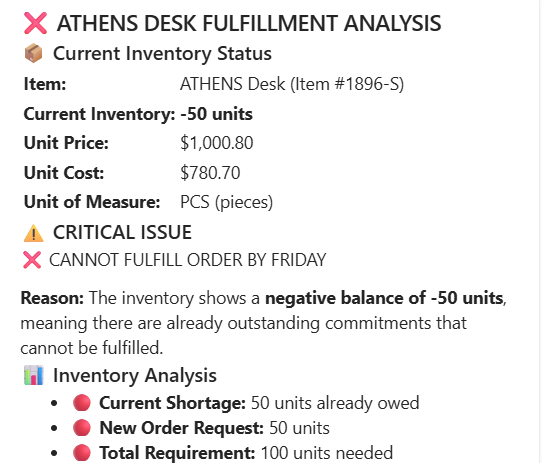
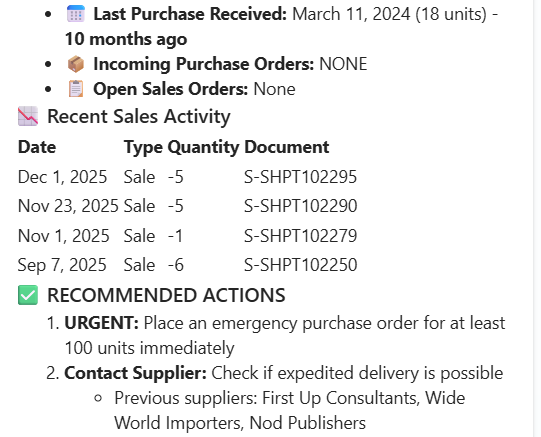
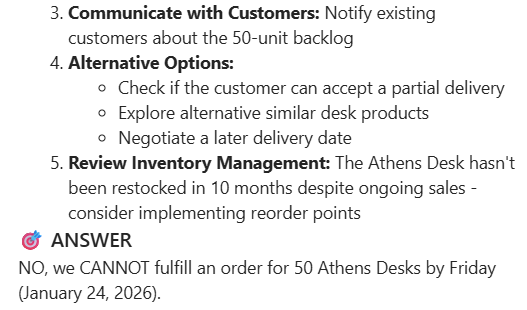
- The Copilot Interaction: The manager asks: “Can we fulfill an order for 50 ‘Athens Desks’ by Friday?”
- Result: Copilot doesn’t just check the total inventory. Via MCP, it checks quantity on hand, subtracts already reserved quantities, checks incoming POs arriving before Friday, and provides a calculated “Yes/No” answer with supporting data.
The “Finance Pulse” Check
C-level executives or finance directors often need high-level KPIs instantly without waiting for scheduled reports.
- The Challenge: Getting a quick view of the company’s immediate liquidity position regarding outstanding debts versus incoming cash.
- The MCP Solution: Create an MCP configuration that includes Vendor Ledger Entries and Cust. Ledger Entries APIs with filters for remaining amounts and due dates.
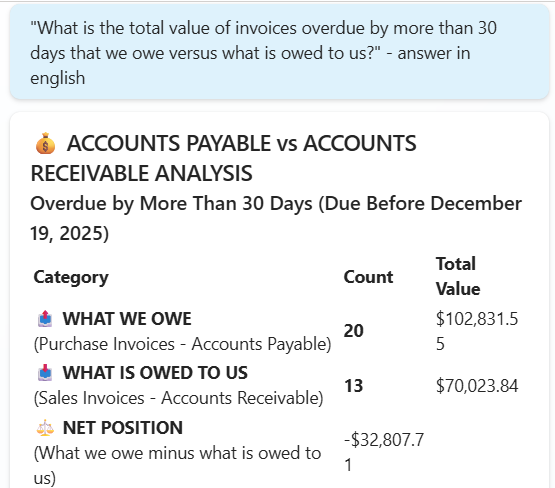
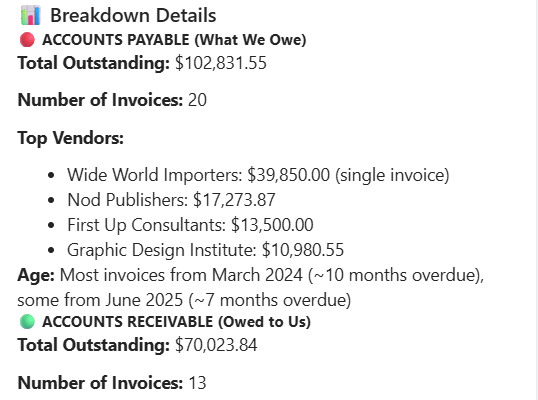
- The Copilot Interaction: The CFO asks: “What is the total value of invoices overdue by more than 30 days that we owe versus what is owed to us?”
- Result: Copilot dynamically queries both APIs through the MCP server, aggregates the data based on the date filters, and presents a clear comparison of overdue payables vs. receivables.
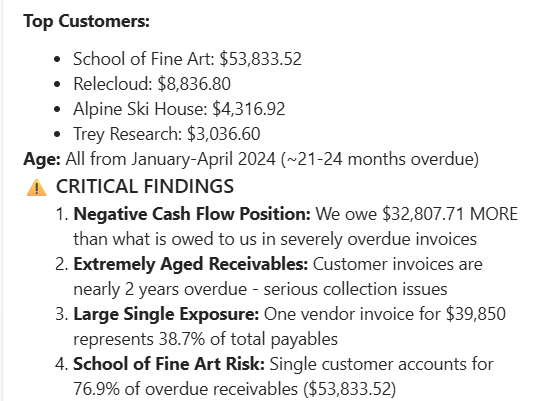
Isn’t that what CFO want to know on the spot?
Conclusion: ERP Data, Standardized
By using the official Business Central MCP server, you eliminate the friction of custom integrations. You leverage Microsoft’s own security layer while giving your Copilot agent the specific context it needs to be truly useful.
Discover more from Lubenheimer
Subscribe to get the latest posts sent to your email.